Simplifying a complex claims workflow
A simpler claims experience for atypical providers that reduces confusion, prevents errors and helps people get paid faster for the services they provide.
My Role
Lead UX Designer • Discovery • Facilitation • UX • Testing
Collaborators
Architecture • Business Stakeholders • Business Analyst • Developers • Claims Team
Domain
Availity Portal • Medicaid/LTSS • Atypical Providers
The challenge
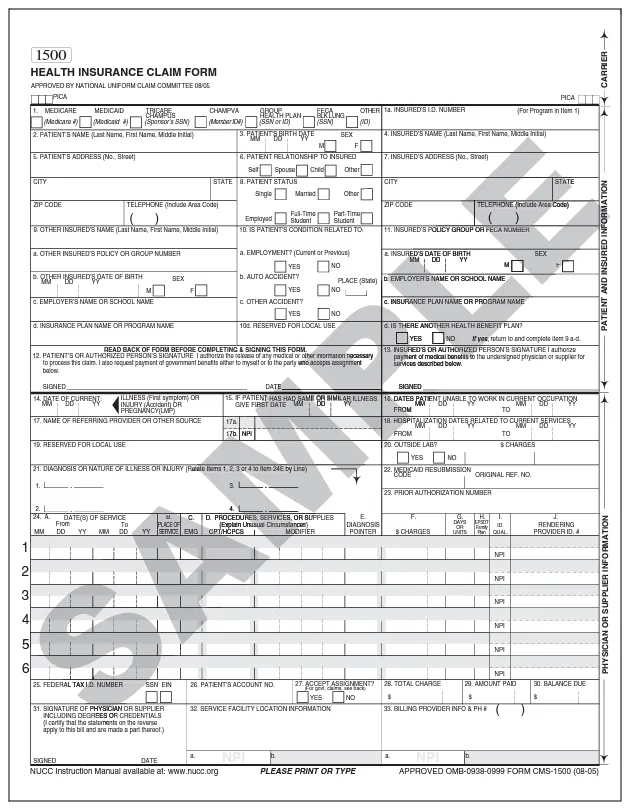
Many LTSS providers are non-medical, think meal delivery, transportation or home-modification services. The standard claim form had 43 fields to complete, some requiring information these providers didn’t have or weren’t familiar with, such as procedure codes and other medical terminology.
Our goal
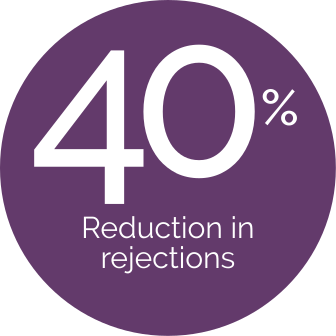
Create a way for atypical providers to submit accurate claims with less confusion and fewer errors, resulting in:
- Fewer payment delays for providers
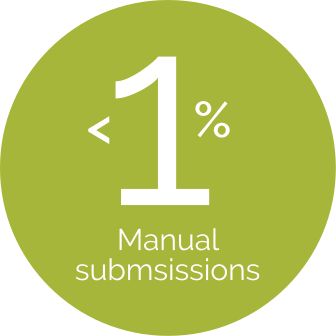
- Less manual work for claims associates.
The outcome
The old experience
Built for medical claims. Not atypical providers.
The CMS-1500 captures dozens of data points needed to process traditional medical claims. But atypical providers such as transportation, meal and home-modification providers, weren’t submitting traditional medical claims. Much of that complexity simply didn’t apply to them.
How we did it
Achieving this level of simplicity was truly a team effort. I worked closely with an exceptional BA, our developers and business partners to understand what information was actually required, what could be removed, and what the system could handle automatically. We collaborated, negotiated, designed and iterated until we created a claims experience that took much of the uncertainty and guesswork out of getting paid.
DISCOVER & ALIGN
Worked with business partners and the product team to uncover provider pain points, business requirements and technical constraints.
MAP & SIMPLIFY
Analyzed the existing workflow to determine what could be removed, what could be auto-populated and what was truly required.
PROTOYPE & TEST
Tested the streamlined experience, refining language, guidance and interaction.
BUILD & DELIVER
Partnered with the team through development to ensure the simplified experience carried through to the final product.
The solution
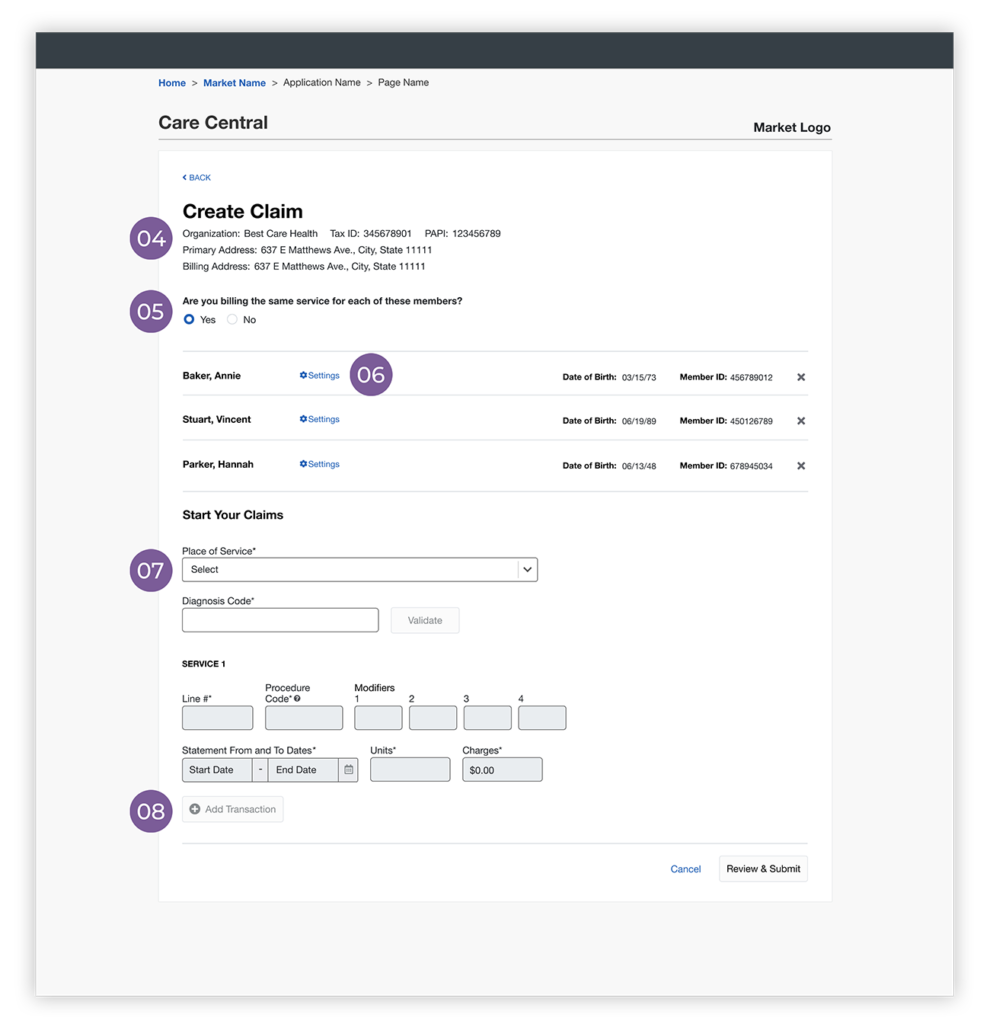
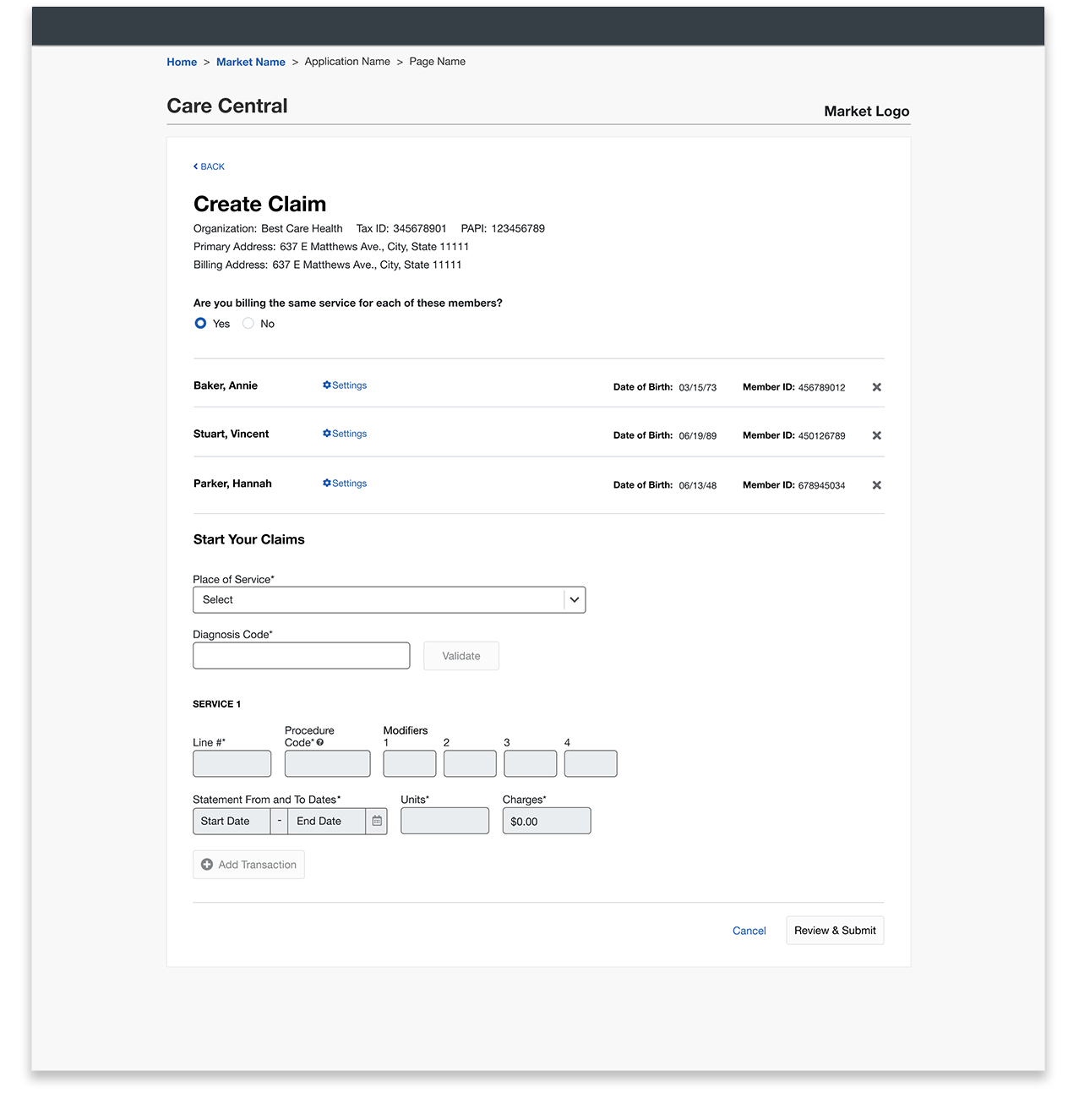
The streamlined workflow starts before providers ever reach the claims form. By allowing them to select one or more members first, we could pull existing member data directly from the system, eliminating the need to enter it manually for each claim.
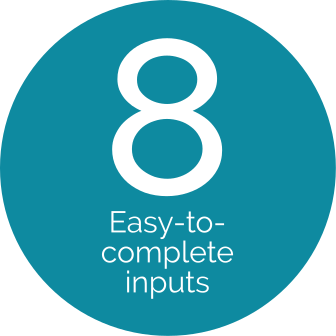
We then auto-populated provider information and created reusable settings for information that only needed to be entered once. The remaining form was reduced from 43 fields to just 8, with contextual help showing providers where to find unfamiliar information, such as procedure codes.
Because the workflow lived within the Availity Portal, the UI needed to follow the established portal patterns. The design work focused on simplifying the workflow and making the experience clearer.
The result was a much shorter form, and far less uncertainty about what to enter and how to get paid.
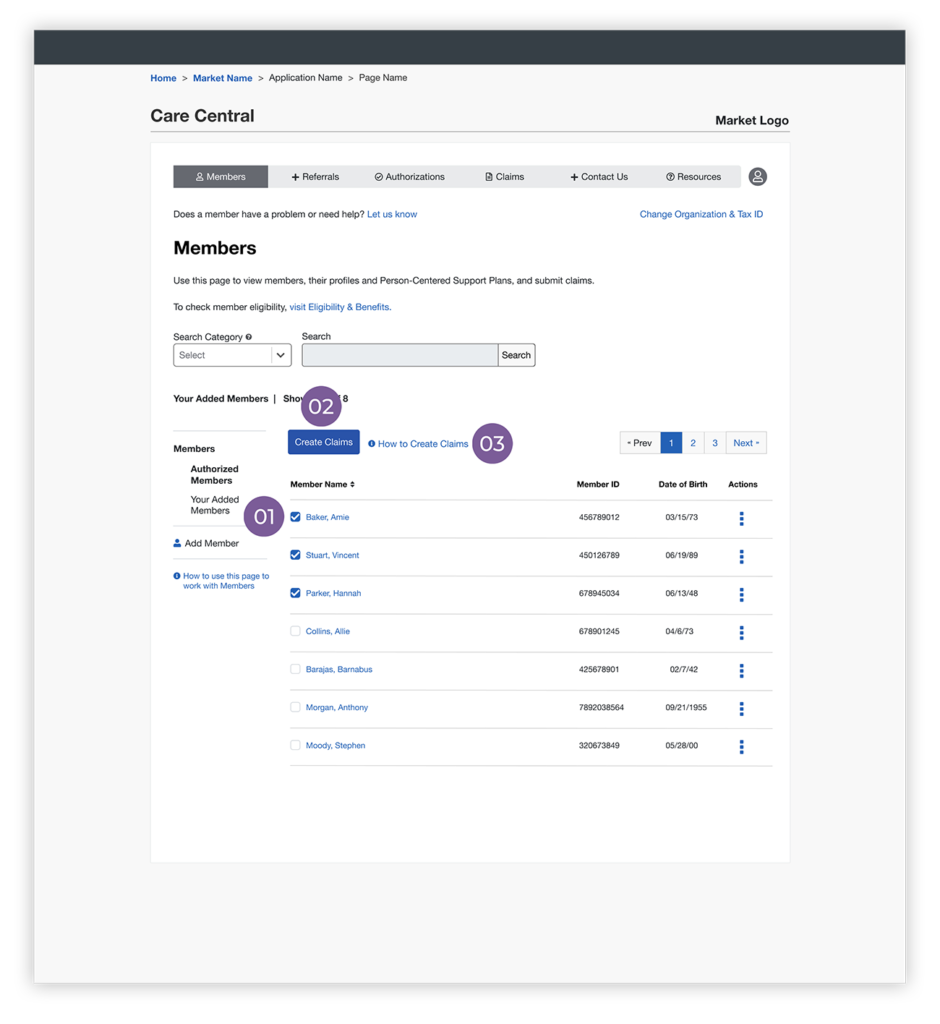
Start with members
Select one or more members before creating a claim, allowing existing member data to carry forward.
Member selection activates claims
Once members are selected, the Create Claims button becomes available and their information carries into the claim.
Help where users need it
Contextual guidance via modal (not shown) explains unfamiliar information and where to find it.
Information on file is autopopulated
Because providers are already logged in, existing provider details are pulled in automatically.
Bill the same service for multiple members
Providers often perform the same service for several members. They don’t need to create a separate claim from scratch for each one.
Set it once, then reuse it
Required billing information is entered via modal (not shown) once and saved for each member.
Complete basic service details
Only a few pieces of information are needed to complete the claim.
Additional services can be added
When multiple services have been provided, another service can be added directly from this screen without starting over.